
Client Profiles
Keep every client at your fingertips

Key Features
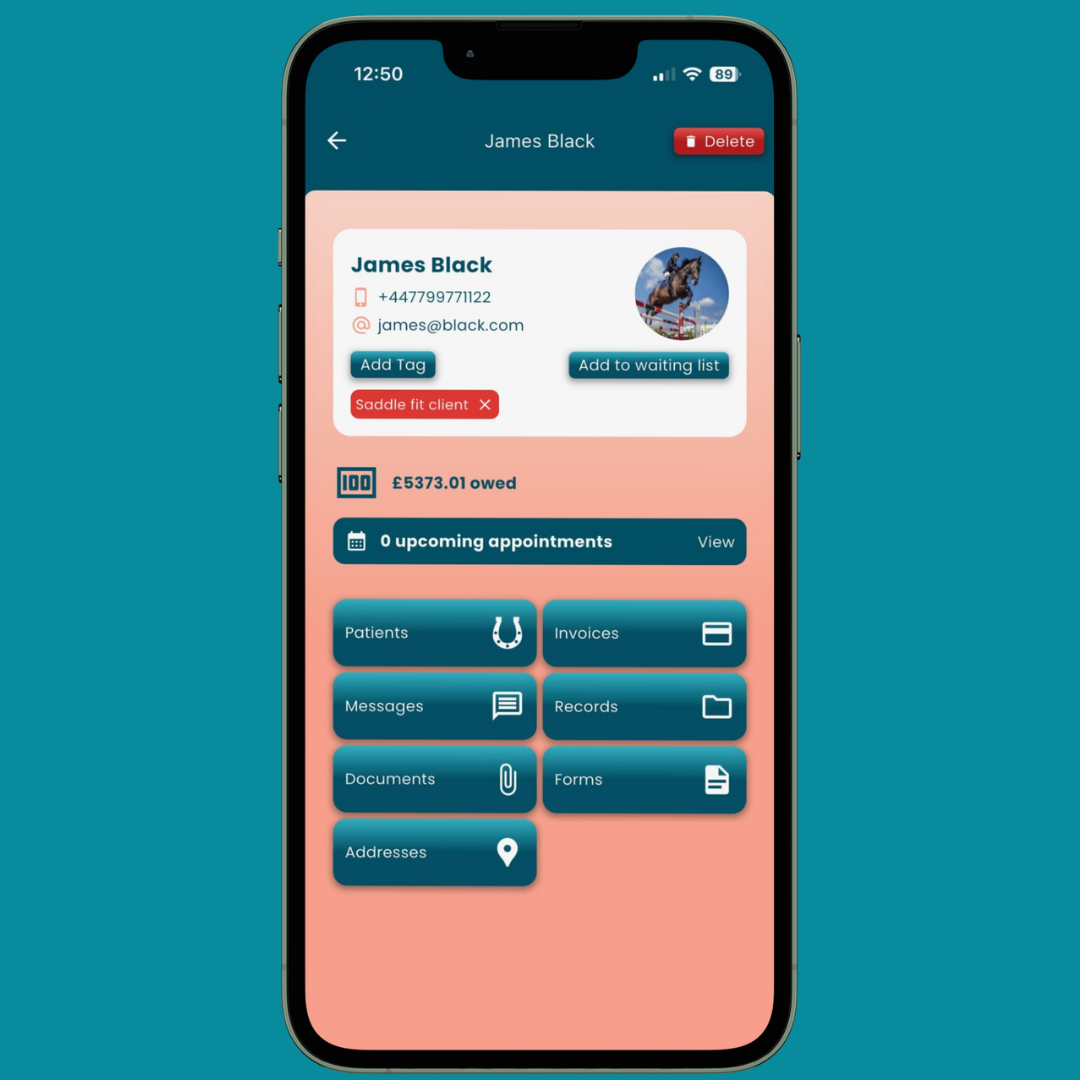
Complete client overview with all information in one place
Map view of all your clients to make planning yours days effortless
Animals, messages, reports, and invoices organised by client
Clients manage their own profile details and animal information
Bank-level encryption and GDPR compliant
Accessible offline, syncs when you're back online
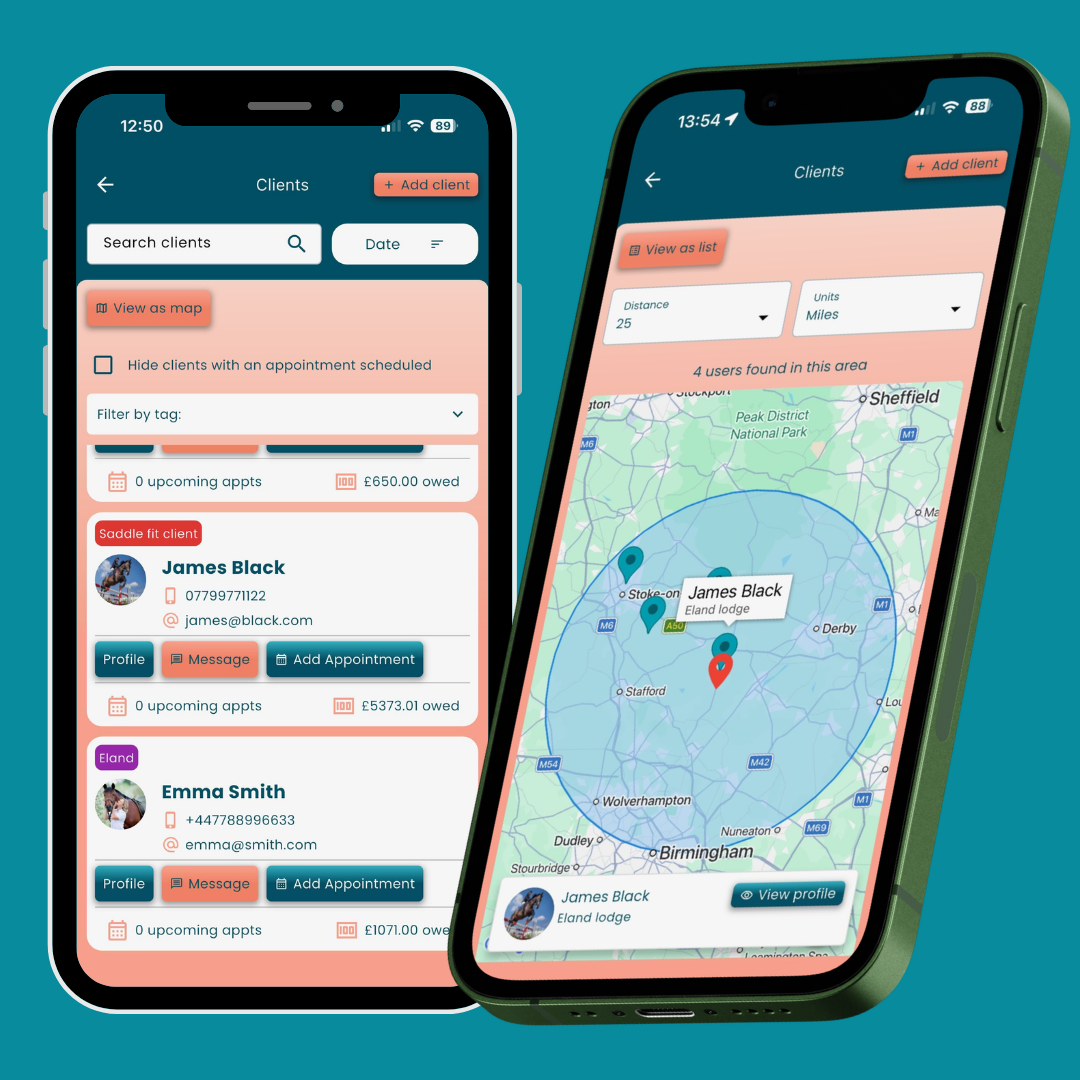
Built-In CRM
No more scattered notes or risky paper trails. Equigate is your secure, built-in CRM designed specifically for animal practitioners. All client data is protected and stored safely in the cloud.
Seamless Access Anywhere
At the yard, in your truck, or catching up at home—your client profiles are always with you. Works offline in remote locations, so you never miss a beat.
Complete Client Management
Your clients can manage their own profiles too, keeping their contact details, addresses, and animal information up to date. This means less admin for you and more accurate records all round—without the back-and-forth.
Each client has a dedicated profile where you'll find their animals, messages, reports, invoices, and documents all neatly organised together. Whether you're checking appointment history, reviewing past treatments, or preparing for your next visit, it's all at your fingertips.
Do my clients need the app?
No, however for the best experience, for both you and your clients, we recommend they have Equigate too. That way, they can manage their own profile, animals, addresses and documents directly, they onboard themselves and they just start appearing as clients in your app.
But don’t worry if they can’t. You can still create them as a guest and keep track of everything exactly as if they were an app user. And if they decide to download the app later, all their information can be seamlessly merged into their new account.
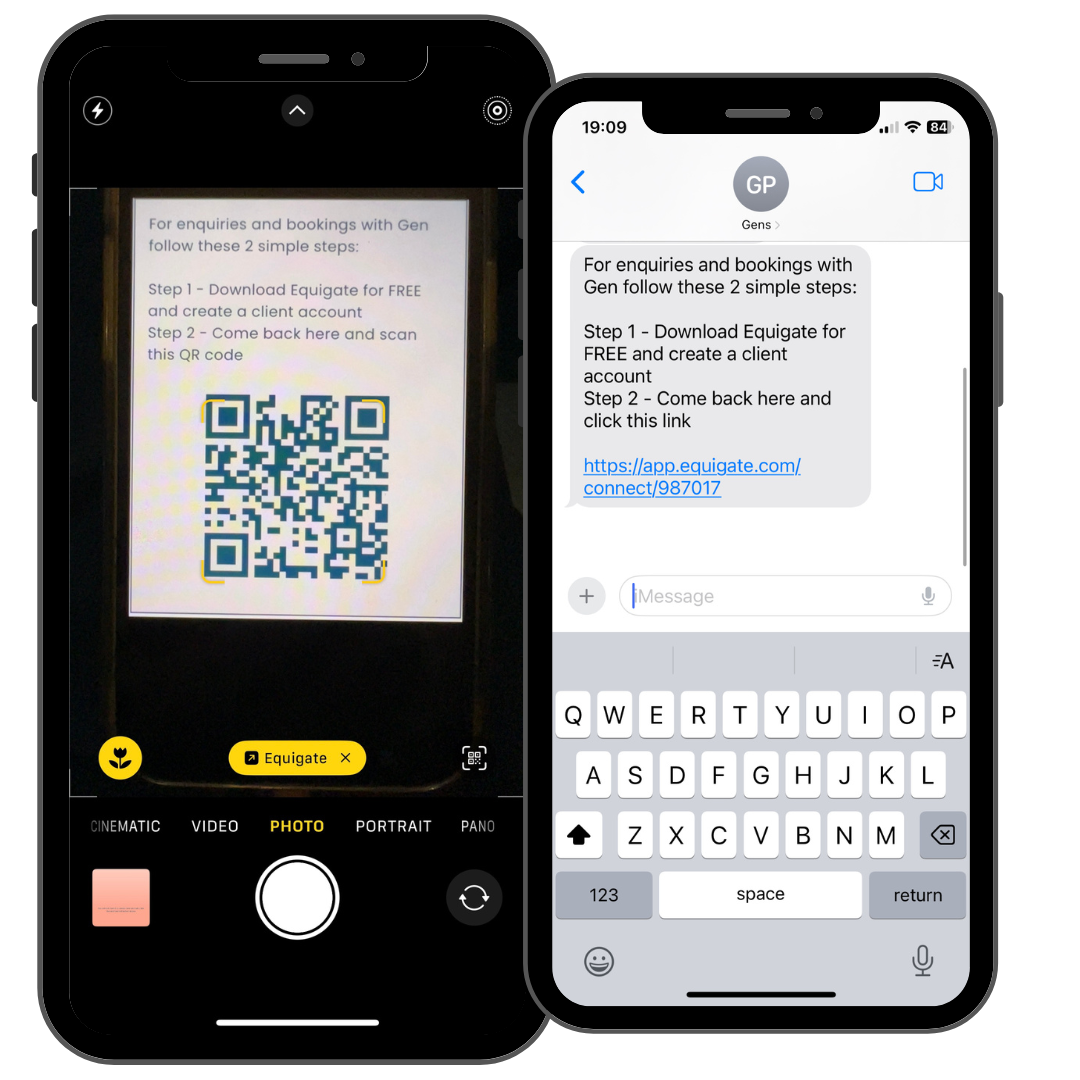
It’s so simple for your clients to get the app:
Step 1 - Download Equigate
Step 2 - Create a FREE account
Step 3 - Scan your QR code or click your link


Get A Free 30 Day Trial
Experience the full power. See for yourself why clients and professionals trust Equigate