
Two of the most requested features in Equigate's history go live this week: an online booking portal that lets your clients book themselves in, and multi practitioner calendars so your whole team can run from one account. Here is what they do, how they work together, and how to switch them on.
Both features were built from conversations with practitioners. The same two problems came up again and again: the hours lost to back and forth messages just to agree a time, and the muddle of juggling more than one diary once a business grows beyond a single practitioner. Online booking fixes the first. Multi practitioner calendars fix the second. Together they make Equigate the practice management software for growing equine, canine and human MSK practices as well as sole traders.
Online booking: your own booking page, built your way
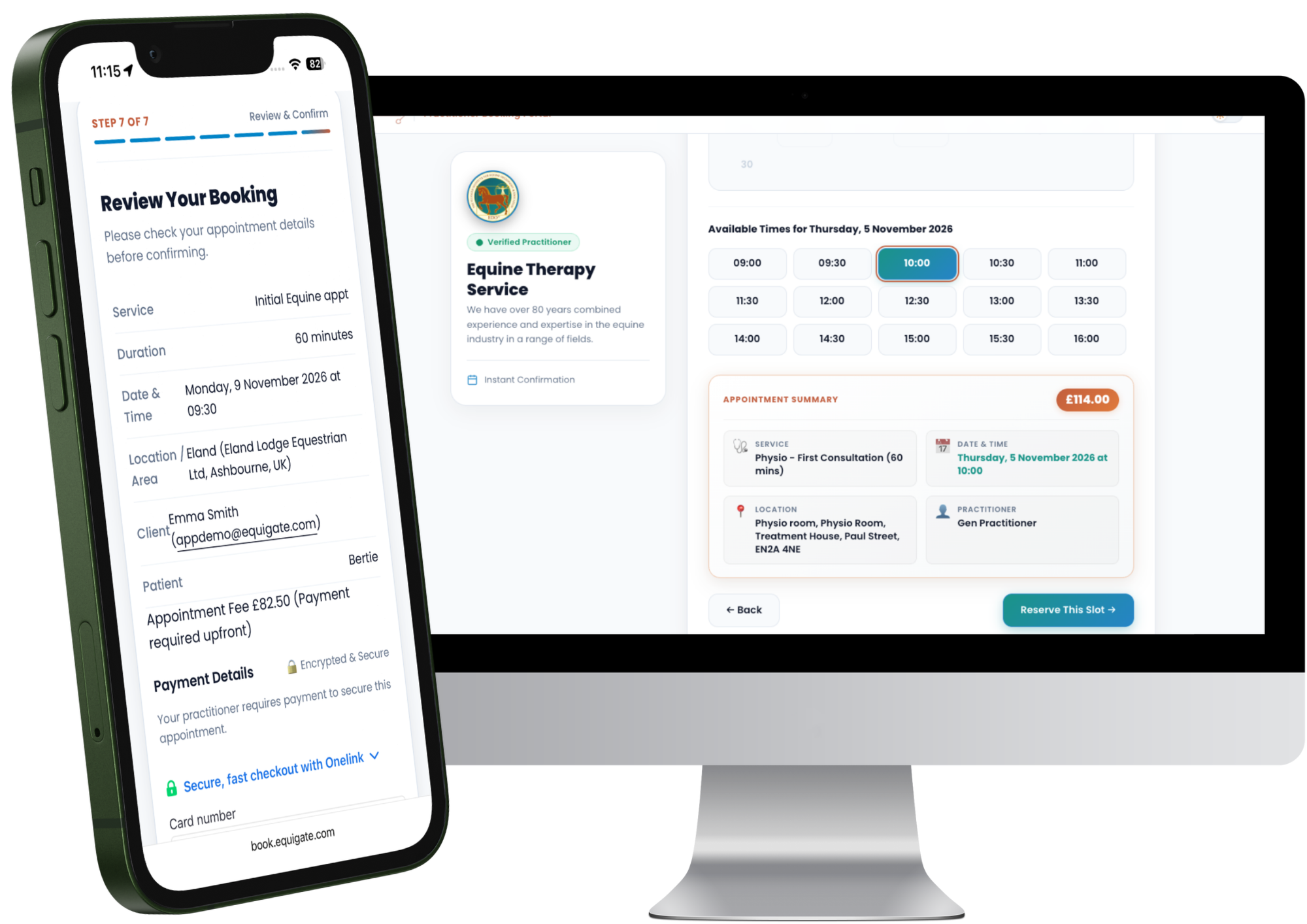
Every Equigate practitioner now has a dedicated online booking page linked to their account. Switch it on, share the link, and clients can book an appointment with you at any time of day from any phone or computer. No app download needed, no phone call, no waiting for a reply.
The page carries your name, your profile and a verified practitioner badge, and every booking is confirmed instantly. It works whether you are a mobile equine therapist visiting yards, a canine practitioner working from a hydro pool, a farrier on the road or a human MSK practitioner in a clinic.
You decide what clients can book
An online booking system is only useful if it respects the way you actually work, so the controls sit with you:
- Days and hours. Your booking page is built from your working hours and holidays, so clients only see times you are available.
- Locations. Offer mobile visits at the client's yard or home, fixed clinic locations, or a mix of both on the days you choose.
- Appointment types. Pick which services appear online. Anything you would rather discuss first stays off the page.
- Notice and booking window. Set how much notice you need and how far ahead clients can book.
- Payment on booking. If you take card payments through Equigate, you can ask clients to pay when they book.
- On or off. Pause online booking whenever you like, and switch it back on when you are ready.

Existing clients, new clients and guests
Clients who already use the Equigate app will find a Book Now button next to your practitioner profile. One tap and they are straight into your booking page, already signed in.
Anyone else can book as a guest from your link. When a new client books, Equigate creates their client profile for you automatically, complete with their address, their animals and their contact details. There is nothing to set up and nothing to retype before their first appointment.
Every online booking lands straight in your Equigate calendar, with the client, the animal, the location and the appointment type already filled in. Your automated reminders go out as normal, and the appointment is ready for notes, reports and invoicing like any other.
Multi practitioner calendars: one business, every diary
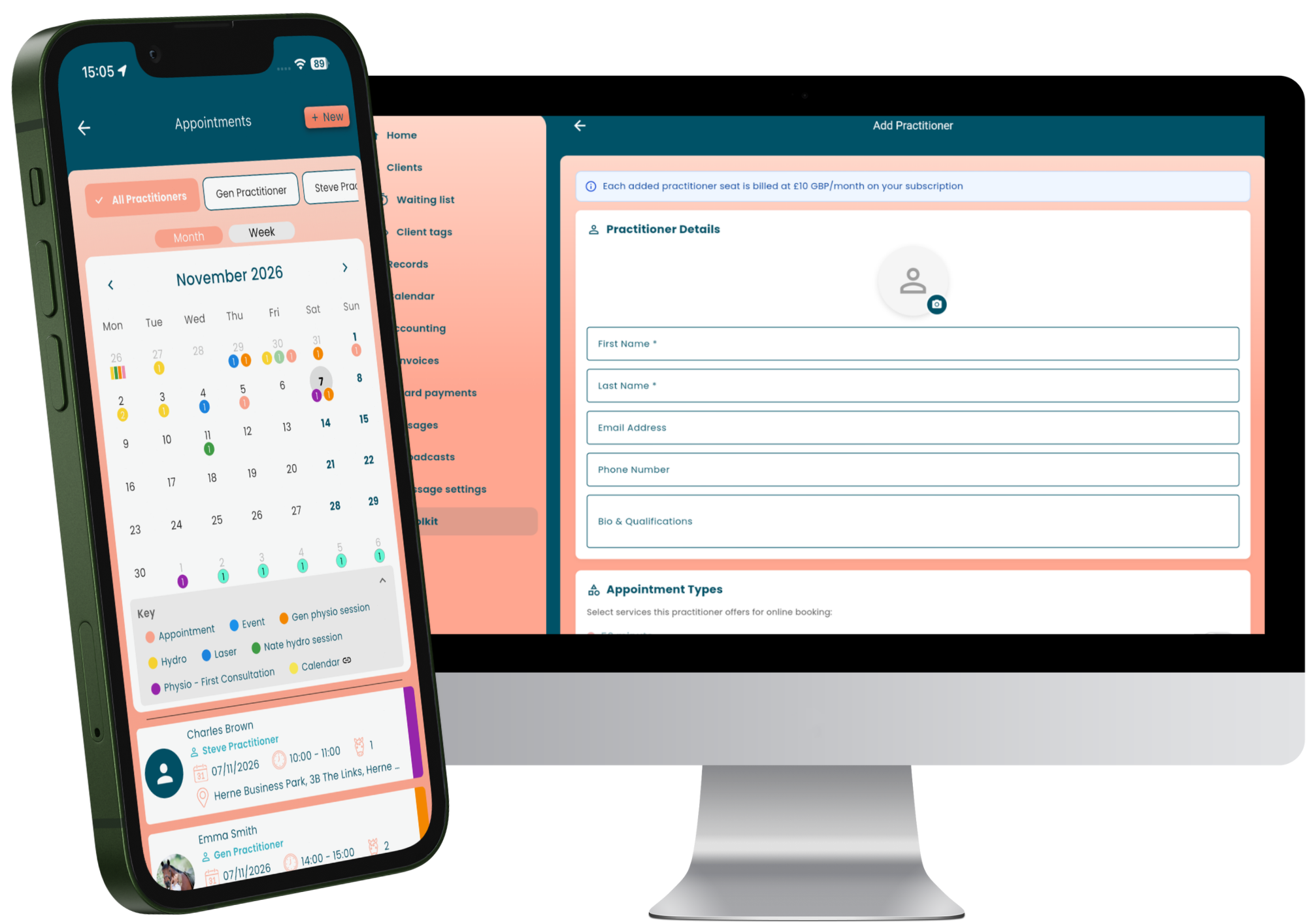
Until now, Equigate was built around one practitioner and one diary. Multi practitioner calendars change that. Add a second practitioner, a third, or a whole team, and each one gets a dedicated calendar inside your existing account. Clients, records, reports and invoices all stay in one place, and the whole team works from one shared login. No extra accounts, no extra passwords.
Three ways to view your team calendar
- Just me. See only your own appointments and focus on your day.
- Selected practitioners. Pick whose diaries you want to see side by side. Useful for checking cover, sharing yard visits or planning clinic days together.
- Whole business. Every practitioner's calendar at once, colour coded, so you can see exactly how busy the business is and avoid double bookings across the team.
Working hours by practitioner, by day or by location
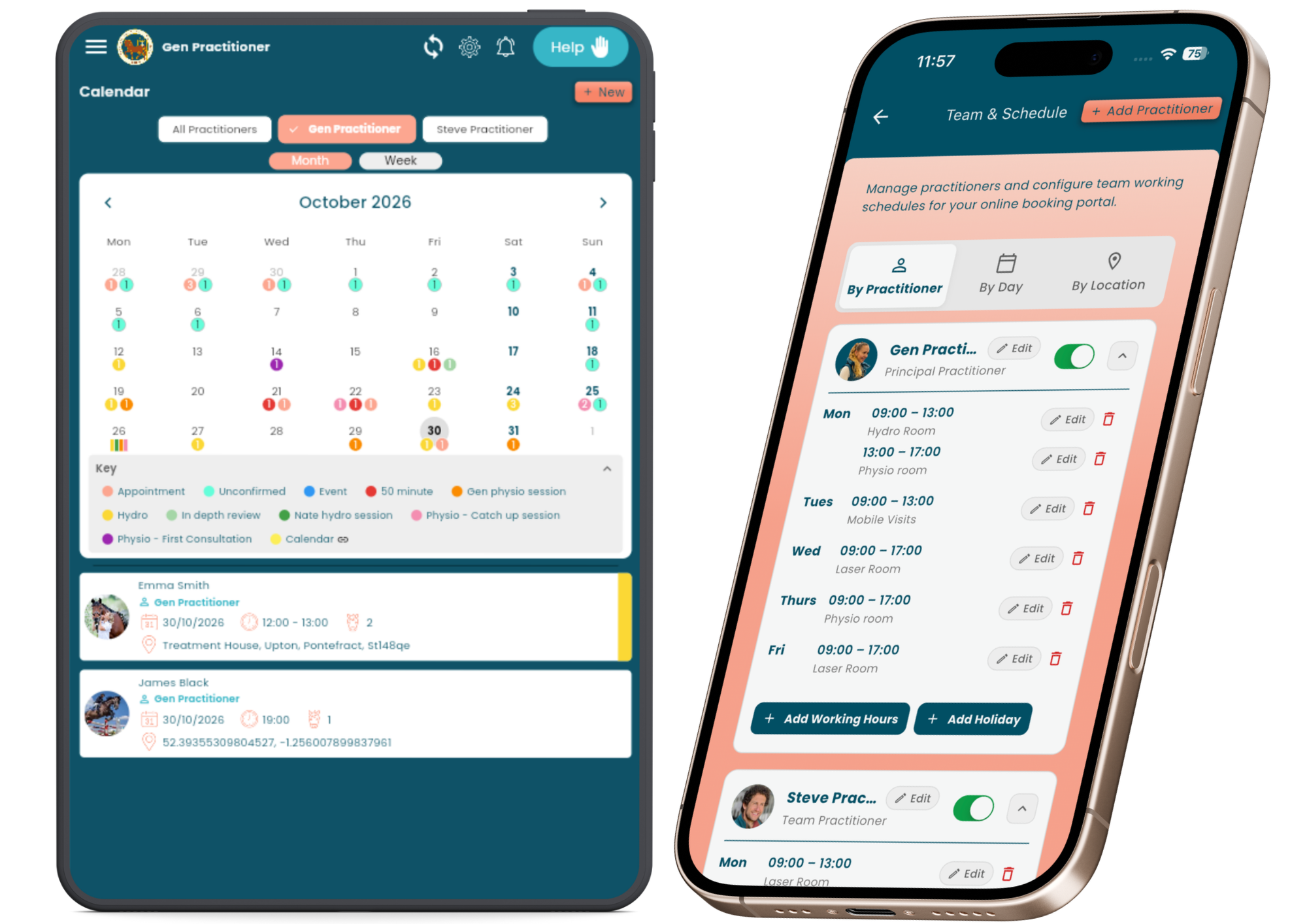
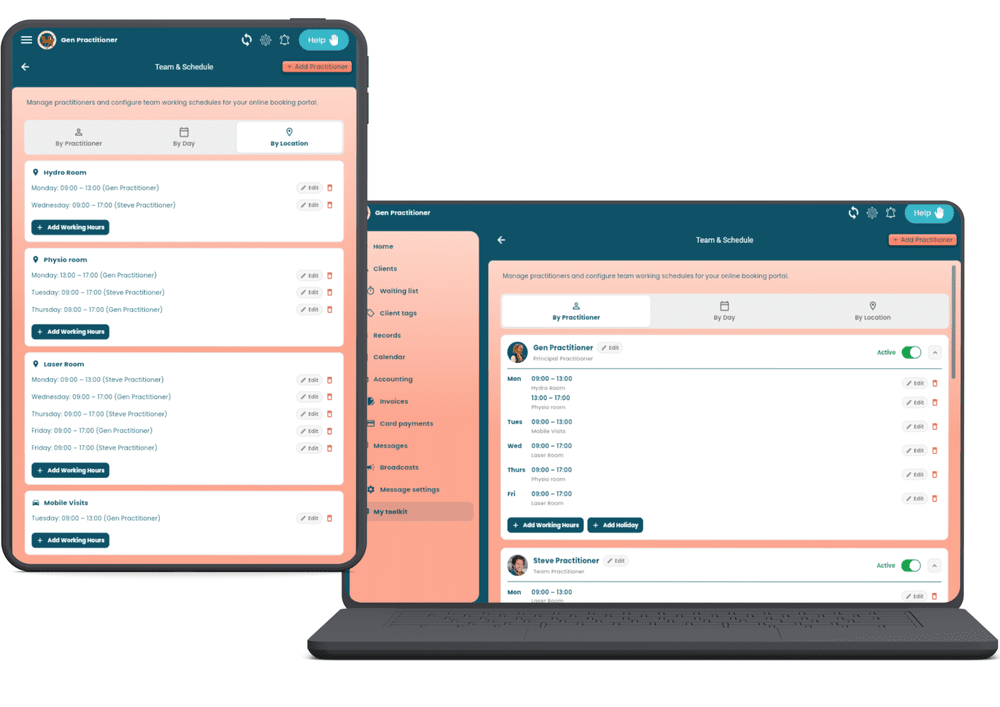
The new Team and Schedule screen is where you set each practitioner's working hours and holidays. View the week by practitioner, by day, or by location, so a clinic with a hydro room, a physio room and a laser room can see at a glance who is where and when. These hours also drive online booking, which brings us to the part that makes the two features more than the sum of their parts.
What it costs
No tiers, no new plan, no extra logins to pay for. Your existing Equigate subscription stays as it is and you add calendars only as you need them. A husband and wife team pays £10 a month more. A clinic of five pays £40. Full details are on the multi practitioner page and the pricing page.
Better together: online booking for the whole team

If you run a multi practitioner business, your booking page shows your whole team. A client can choose the practitioner they usually see, or pick "earliest available" and Equigate offers the next free slot across everyone who provides that service at that location. Each practitioner can offer different appointment types, so the laser sessions only show for the person who does them.
Every booking goes to the right calendar, the practitioner gets a notification, and the whole business sees the appointment in the shared view. It is the simplest way we know to fill a team diary without anyone picking up the phone.
Watch the launch webinar
Steve walks through both features live, switches on a booking page from scratch, adds a practitioner and answers questions from the practitioners who joined.
How to switch on online booking
- Open Booking Portal in your Equigate account and turn it on. Your public booking link is created straight away.
- Check your working hours under Practitioners and Schedule. These decide which times clients see.
- Choose your locations: mobile visits, your clinic rooms, or both.
- Pick the appointment types you want clients to book online, and set your notice period and booking window.
- Share your link on social media, your website and in your email signature. Existing app clients will see Book Now automatically.
Adding a practitioner takes a minute: open Team and Schedule, tap Add Practitioner, enter their details and set their hours. They appear in your calendar and on your booking page immediately.
Questions practitioners are asking
Do I have to use online booking?
No. It is off until you switch it on, and you can turn it off again at any time. You might choose to open it only for follow up appointments and keep first visits to a phone call.
Can clients book without the Equigate app?
Yes. Your booking link works in any browser. Clients who do have the app get a Book Now button next to your profile as well.
Does multi practitioner mean separate accounts?
No. Everyone works from one shared login and one set of clients, records and invoices. Each practitioner simply gets their own calendar, and you can filter the view to see one, some or all of them.
Is £10 a month the whole cost?
Yes. £10 a month for each practitioner you add on top of your existing subscription. Online booking is included for every account at no extra cost.
Try both features today
Online booking is live now for every Equigate account, and multi practitioner calendars can be added from your account settings. If you are new to Equigate, both are included in the free 30 day trial.
Read more about the online booking portal and multi practitioner calendars, or ask a question in the Equigate users group.